
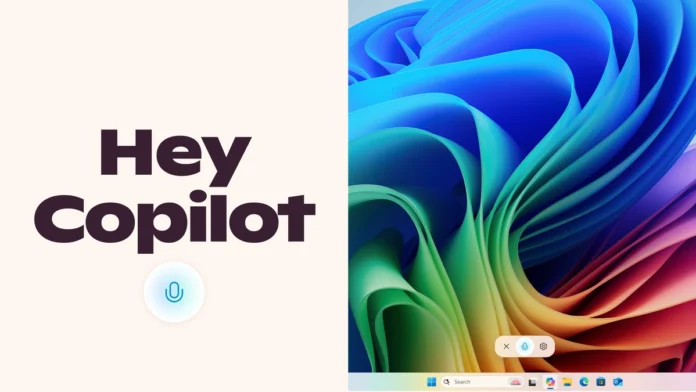
Microsoft has just rolled out ‘Hey Copilot’ voice activation on Windows 11, and the tech world is buzzing. But here’s the thing: it’s not just about shouting commands at your PC. It’s a peek into the future of how we’ll interact with our devices. Let’s be honest, who hasn’t dreamed of controlling their computer with just their voice, feeling like they’re in a sci-fi movie? Well, that future is inching closer.
Why ‘Hey Copilot’ Matters

So, why should you care about another voice assistant? ‘Hey Copilot’ isn’t just another feature; it’s a fundamental shift in how we engage with our operating system. It allows for a more hands-free and intuitive experience, especially beneficial for multitasking or when your hands are, say, covered in dough while following an online recipe. What fascinates me is the potential for accessibility – imagine how this could empower users with disabilities to interact with their computers more easily. According to Microsoft’s official announcement, this feature aims to streamline workflows and enhance productivity. Visit Microsoft for more information.
How to Get Started with ‘Hey Copilot’
Okay, you’re intrigued. How do you actually get this thing working? First, make sure you’re running the latest version of Windows 11. A common mistake I see people make is assuming the feature is automatically enabled. You’ll need to dive into your settings and specifically turn on voice activation for Copilot. Let me rephrase that for clarity: Go to Settings > Privacy > Voice activation and ensure Copilot is enabled. I initially thought this was straightforward, but then I realized some users might need to update their drivers as well. Here’s the one thing you absolutely must double-check: your microphone settings. If Copilot isn’t hearing you, it’s game over before you even start.
The Indian Context | ‘Hey Copilot’ and You
Now, let’s bring this home. How does ‘Hey Copilot’ fit into the Indian context? Consider the increasing reliance on technology in everyday life, from online education to remote work. The ability to control devices hands-free can be a game-changer, especially in bustling households. Trending news today . But, and it’s a big but, reliable internet access is crucial. After all, cloud-based voice processing requires a stable connection. Also, think about the diverse linguistic landscape of India. Will ‘Hey Copilot’ eventually support regional languages? That’s a question worth pondering.
This new feature brings some exciting features like voice commands , hands-free control , and improved multitasking . But it’s not without its challenges. Users may need to adjust to the new way of interacting with their computers, and ensuring privacy will be paramount.
Potential Hiccups and How to Solve Them
That moment of panic when ‘Hey Copilot’ doesn’t respond. We’ve all been there. Let’s walk through this together. Ensure your microphone is properly configured and that no other applications are interfering with its access. I initially thought this was straightforward, but then I realized that background noise can be a major issue, especially in noisy environments. Try adjusting your microphone sensitivity or using a headset with noise cancellation.
Here are some of the potential issues that may arise along with steps to troubleshoot them. First and foremost is to ensure that the latest version of Windows 11 is installed. The next step will be to ensure that the microphone is set up properly and that it is not muted. Check if background apps are not interfering with the microphone. The one thing that you must do is to check the privacy settings to ensure that ‘Hey Copilot’ has the permission to access the microphone. Also ensure that you have a stable internet connection .
The Future is Voice (and AI)
The introduction of ‘Hey Copilot’ is more than just a software update. It’s a statement about where technology is headed. Imagine a world where voice commands seamlessly integrate into every aspect of our digital lives, from controlling smart home devices to managing complex work tasks. This is the vision Microsoft is betting on, and ‘Hey Copilot’ is a significant step in that direction. It is imperative to understand that voice recognition and artificial intelligence are the future.
According to the latest reports, Microsoft plans to further enhance Copilot with more advanced AI capabilities, making it an even more indispensable tool for Windows 11 users. As per the guidelines mentioned in the information bulletin, the official confirmation is still pending. It’s best to keep checking the official portal.
FAQ
Frequently Asked Questions
How do I enable ‘Hey Copilot’ on my Windows 11 PC?
Go to Settings > Privacy > Voice activation and ensure Copilot is enabled.
What if ‘Hey Copilot’ isn’t responding to my voice commands?
Check your microphone settings, ensure it’s properly configured, and that no other applications are interfering with its access.
Does ‘Hey Copilot’ support regional languages in India?
Currently, ‘Hey Copilot’ primarily supports English. Support for regional languages may be added in future updates.
Will ‘Hey Copilot’ work offline?
No, ‘Hey Copilot’ requires an internet connection for voice processing and AI functionalities.
Is ‘Hey Copilot’ secure and private?
Microsoft emphasizes privacy and data security. Review your privacy settings and manage permissions to control data access.
So, ‘Hey Copilot’ is here, and it’s not just a gimmick. It’s a sign of things to come – a world where technology anticipates our needs and responds to our voice. Embrace the future, but remember to keep an eye on those privacy settings!


