
Ever loaded up YouTube, ready to binge your favorite creator, only to be met with…nothing? A blank screen, an endless loading spinner – it’s infuriating, right? Before you start smashing your router or firing off angry tweets at YouTube, let’s explore a likely culprit: your ad blocker .
Here’s the thing: the relationship between YouTube and ad blockers is, shall we say, complicated. YouTube, like most platforms, relies on ad revenue to keep the lights on. Ad blockers , well, they block those ads. It’s a constant cat-and-mouse game, with each side trying to outsmart the other. And sometimes, you, the viewer, get caught in the crossfire.
Why Your Ad Blocker Might Be the Problem
So, why is your ad blocker suddenly acting up? It boils down to a few key reasons:
- YouTube’s Anti-Ad Blocker Measures: YouTube is constantly updating its code to detect and circumvent ad blockers. When they find a new method, ad blocker developers scramble to update their software to counter it. This back-and-forth can lead to temporary glitches where YouTube detects your ad blocker and refuses to load videos properly.
- Outdated Ad Blocker Software: If your ad blocker hasn’t been updated in a while, it might not be equipped to handle YouTube’s latest anti-ad blocker technology. Think of it like using an old antivirus program against the latest viruses – it’s simply not going to be effective.
- Conflicting Extensions: Sometimes, other browser extensions can interfere with your ad blocker, causing it to malfunction or be detected by YouTube. This is especially true for privacy-focused extensions or those that modify website code.
How to Tell if Your Ad Blocker is the Culprit
Okay, so how do you know if your ad blocker is the one to blame? Here are a few telltale signs:
- YouTube Works Fine Without It: The easiest way to test this is to temporarily disable your ad blocker. If YouTube starts working immediately, you’ve found your problem.
- Error Messages Related to Ad Blocking: YouTube might display a message explicitly stating that ad blockers are not allowed. This is a pretty clear indication.
- Videos Load Partially or Not at All: If you see a blank screen, a loading spinner that never stops, or only hear audio without video, your ad blocker might be interfering.
The Quick Fixes | Getting YouTube Working Again
Alright, you’ve identified your ad blocker as the troublemaker. What now? Here are a few solutions you can try:
- Update Your Ad Blocker: This is the first and easiest step. Most ad blockers have an auto-update feature, but it’s always a good idea to manually check for updates. An updated ad blocker is more likely to be compatible with YouTube’s current system.
- Disable Your Ad Blocker on YouTube: Most ad blockers allow you to whitelist specific websites. Add YouTube to your whitelist to allow ads to play on the platform. This allows you to support creators while still blocking ads on other sites.
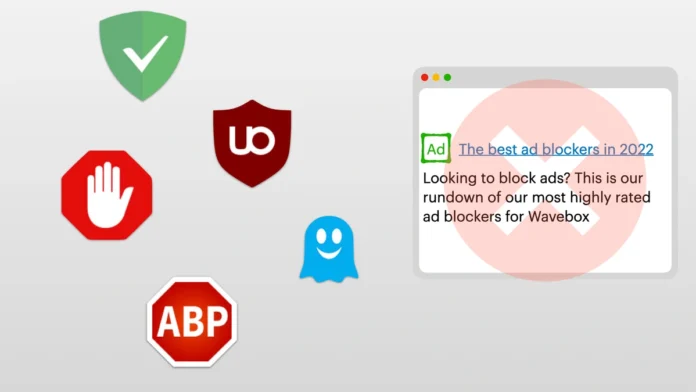
- Try a Different Ad Blocker: Not all ad blockers are created equal. Some are more effective at bypassing YouTube’s detection methods than others. Experiment with different ad blockers to see if one works better for you. Consider extensions like uBlock Origin or AdGuard, which are known for their efficiency.
- Update Your Browser: An outdated browser can sometimes cause compatibility issues with ad blockers and YouTube. Make sure you’re using the latest version of your browser.
- Clear Your Browser’s Cache and Cookies: Sometimes, old data stored in your browser can interfere with website functionality. Clearing your cache and cookies can resolve these issues.
- Check for Conflicting Extensions: Disable other browser extensions one by one to see if any of them are interfering with your ad blocker.
The Ethics of Ad Blocking | A Quick Detour
Let’s be honest – ads can be annoying. But they’re also the lifeblood of YouTube and the creators you love. When you block ads, you’re essentially depriving creators of revenue. Is it ethical? That’s a question for another day, but it’s worth considering. Many creators rely on ad revenue to support their work, and blocking ads can directly impact their ability to create content. Consider supporting your favorite creators through other means, such as subscribing to their channels, buying merchandise, or donating through platforms like Patreon.
The Future of Ad Blocking on YouTube
The battle between YouTube and ad blockers is likely to continue indefinitely. YouTube will keep developing new ways to detect and block ad blockers , and ad blocker developers will keep finding ways to circumvent those measures. It’s an arms race with no clear winner. As a viewer, you’ll need to stay informed and be prepared to troubleshoot issues as they arise. Stay tuned for more updates on this ongoing saga.
Alternatives to Ad Blockers
Consider using YouTube Premium. It eliminates ads while supporting creators.
Conclusion | A Temporary Inconvenience, Not a Catastrophe
So, there you have it. If YouTube isn’t working, your ad blocker is a likely suspect. By following the troubleshooting steps outlined above, you can usually get back to watching your favorite videos in no time. It’s a minor inconvenience, sure, but it’s often easily fixed. And who knows, maybe this is a good opportunity to reconsider your relationship with ads and explore alternative ways to support the content creators you enjoy.
FAQ
Why is YouTube suddenly blocking my ad blocker?
YouTube regularly updates its code to detect and block ad blockers . These updates can sometimes cause your ad blocker to malfunction or be detected.
Will YouTube ban my account for using an ad blocker?
While YouTube doesn’t explicitly state that they will ban accounts for using ad blockers , they may restrict access to content if they detect that you are circumventing their advertising system.
Is it legal to use an ad blocker on YouTube?
Yes, it is legal to use an ad blocker . However, YouTube has the right to implement measures to prevent ad blockers from interfering with their platform.
What if I’ve tried everything and YouTube still isn’t working?
If you’ve tried all the troubleshooting steps and YouTube is still not working, there may be other issues at play. Check your internet connection, try using a different browser, or contact YouTube support for assistance.
Can I get YouTube Premium in India?
Yes, YouTube Premium is available in India. It removes ads, allows for offline downloads, and includes YouTube Music Premium. More Details.
Are there specific ad blockers that work best with YouTube?
Some popular and effective ad blockers for YouTube include uBlock Origin, AdGuard, and AdBlock. Experiment to see which one works best for you.


