

So, you’re thinking about subscribing to F1 TV ? Let’s be honest, as a Formula 1 fan in the US, navigating the broadcast landscape can feel like trying to find a decent cup of coffee at a gas station. It’s a struggle. But is F1 TV the answer? Is it the espresso shot to our racing souls? That’s what we’re going to unpack. I want to cut through the marketing hype and give you a real, honest assessment from someone who’s been there, done that, and screamed at their laptop when the stream buffered right before a crucial overtake.
What Exactly Is F1 TV, Anyway?
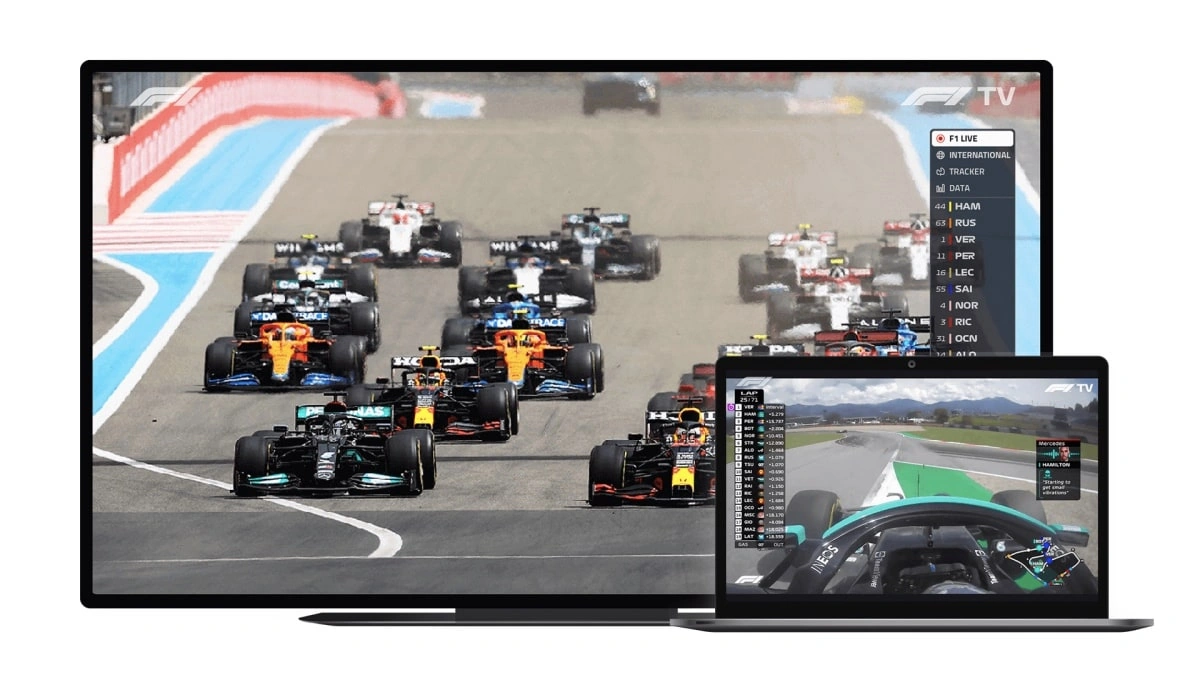
Before we dive into the nitty-gritty, let’s clarify what F1 TV actually is . Essentially, it’s Formula 1’s official streaming service. Think of it as Netflix, but for all things F1. You’ve got two main tiers: F1 TV Access and F1 TV Pro. Let’s be real , if you’re a true fan, you’re probably eyeing Pro. It’s where the real action is.
F1 TV Access gives you replays, highlights, and some historical content. It’s like getting the appetizer menu when you really want the full buffet.
F1 TV Pro , on the other hand, unlocks live races, onboard cameras, team radio, and a wealth of data. It’s the full racing weekend experience, delivered straight to your screen. It even has full session replays. Perfect for watching those early morning races when you wake up at 5am. Worth the investment? Let’s dig deeper.
The Good, the Bad, and the Buffering | My F1 TV Experience
Okay, let’s get personal. I’ve been using F1 TV for a couple of seasons now, and it’s been… a journey. Here’s the thing: when it works, it’s glorious. Being able to switch between onboard cameras during a race is an absolute game-changer. Hearing the drivers’ frantic conversations with their engineers adds a whole new layer of excitement. The problem? It doesn’t always work perfectly.
Buffering is, unfortunately, a reality. Especially during peak times, like the start of a race. I’ve learned to have a backup plan (more on that later) and to adjust my expectations accordingly. It’s not always a smooth ride, but when it is, you’re in for a treat. The international feed is also a cool feature.
What fascinates me is the sheer amount of data available. You can geek out on telemetry, tire data, and sector times to your heart’s content. For the hardcore F1 nerds (like myself), it’s a dream come true.
Cost vs. Content | Is F1 TV Pro Worth the Price for U.S. Fans?
Now, let’s talk money. F1 TV Pro pricing varies depending on your region, but in the US, it’s generally around $79.99 per year or $9.99 per month. Is it worth it? That depends on how much of a die-hard fan you are.
If you’re casually interested in F1, you might be better off sticking with ESPN or another broadcast partner. But if you live and breathe Formula 1, if you crave the full, unfiltered experience, then F1 TV Pro is a no-brainer. Think about it: you’re getting every practice session, qualifying, and race live, plus a ton of extra content. Compared to the cost of attending a single race weekend, it’s a steal. According to the official Formula 1 website , F1 TV Pro subscription offers exclusive content not found on traditional broadcasts, enhancing your viewing experience.
Alternatives and Backup Plans | Don’t Put All Your Eggs in One Basket
Smart F1 fans always have a backup plan. Let’s be honest, technology can be fickle. If F1 TV is having a bad day, you don’t want to miss the race. Consider these alternatives: ESPN (which often broadcasts races), or a VPN combined with F1 TV in a region where it’s more reliable.
A common mistake I see people make is relying solely on one streaming option. Diversify! And always, always test your setup before race day. There’s nothing worse than scrambling to troubleshoot technical issues as the cars are lining up on the grid.
And , if you use a VPN make sure you get one with fast streaming speeds.
Troubleshooting Tips for F1 TV | Keeping the Wheels on the Bus
Let’s be real – F1 TV streaming issues happen. Here are a few quick fixes I’ve learned over the years:
- Clear your browser cache: It’s the digital equivalent of shaking the dust off your TV screen.
- Try a different browser: Sometimes, Chrome just doesn’t play nice. Firefox or Safari might work better.
- Check your internet speed: A slow connection is the enemy of smooth streaming.
- Restart your router: The old faithful “turn it off and on again” trick. I’ve seen it work wonders .
- Contact F1 TV support: They might have specific solutions for your issue.
The official F1 TV support page can be a life saver.
FAQ | Your Burning F1 TV Questions Answered
Frequently Asked Questions
What if I forgot my F1 TV password?
No worries! Just click the “Forgot Password” link on the login page and follow the instructions to reset it.
Can I watch F1 TV on multiple devices?
Yes, you can. But there might be limitations on simultaneous streams. Check the F1 TV terms of service for details.
Is F1 TV available in 4K?
Unfortunately, not yet. But it’s a feature many fans are hoping for in the future.
What happens if a race is canceled or delayed?
F1 TV typically provides updates and information regarding schedule changes. In some cases, you might be eligible for a refund or credit.
The bottom line? F1 TV can be a fantastic way to experience Formula 1, especially if you’re a hardcore fan. It’s an immersive way to follow all the practice sessions and other content. Just be prepared for the occasional technical hiccup, and always have a backup plan in place.
What fascinates me is how the streaming service continues to evolve, adding more features and improving its reliability. It really has become a destination for any F1 fan that truly wants to get the most out of the sport.


