
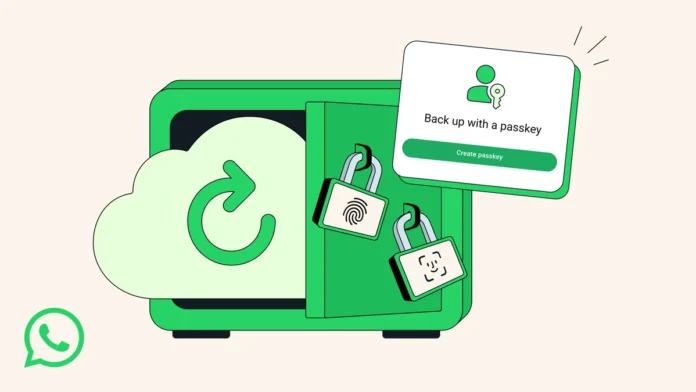
WhatsApp, the ubiquitous messaging app, is rolling out a new feature that’s got me genuinely excited: passkey encryption for chat backups. Why? Because let’s be honest, we all have sensitive information in our WhatsApp chats. Financial details, personal conversations – the stuff you definitely don’t want falling into the wrong hands. And now, finally, there’s a more robust way to protect it all. Instead of relying solely on easily forgotten passwords, WhatsApp is letting you use passkeys. This isn’t just a minor update; it’s a fundamental shift in how we secure our digital lives. So, let’s dive into why this matters and how you can make the most of it.
Why Passkey Encryption is a Game Changer for WhatsApp Users

Here’s the thing: traditional passwords are, well, a pain. We reuse them (bad!), forget them (worse!), and they’re constantly under threat from phishing and brute-force attacks. Passkeys , on the other hand, leverage the biometric or device-based authentication already on your phone – think fingerprint scanners, facial recognition, or even just your device PIN. It’s like using your face to unlock your digital vault. Much more secure, and honestly, a lot more convenient.
But why now? What’s driving WhatsApp to implement passkey protection ? The answer lies in the increasing sophistication of cyber threats. Data breaches are becoming more common, and our digital privacy is constantly under attack. WhatsApp, with its massive user base, is a prime target. By introducing passkey encryption, they’re significantly raising the bar for attackers. Consider it a digital shield against potential breaches.
Moreover, this move aligns with a broader industry trend towards passwordless authentication. Tech giants like Google and Apple are also pushing for passkeys, signaling a future where passwords become obsolete. WhatsApp is simply keeping pace, ensuring its users benefit from the latest security advancements.
How to Enable Passkey Encryption on Your WhatsApp Backups | A Step-by-Step Guide
Okay, so you’re sold on the idea of passkey encryption for WhatsApp backups . Great! Now, how do you actually enable it? Don’t worry; it’s not as complicated as it sounds. I’ll walk you through the process step-by-step.
- Update WhatsApp: First things first, make sure you’re running the latest version of WhatsApp. Head to the Google Play Store or Apple App Store and update the app if necessary.
- Navigate to Settings: Open WhatsApp and tap on the three dots (or the settings icon, depending on your phone) in the top right corner. Then, select “Settings.”
- Go to Chats: In the settings menu, tap on “Chats.”
- Choose Chat Backup: Scroll down and select “Chat backup.”
- Enable Passkey: Look for the option to enable passkey for backup. It might be labeled something like “Use passkey to encrypt backup.”
- Follow the Prompts: WhatsApp will guide you through the process of setting up your passkey. This usually involves verifying your identity using your phone’s fingerprint scanner, facial recognition, or PIN.
- Confirmation: Once the passkey is set up, WhatsApp will confirm that your future backups will be encrypted using this method.
A common mistake I see people make is rushing through the setup process. Take your time, read each prompt carefully, and ensure you understand what you’re doing. This is your data we’re talking about, so it’s worth the extra few minutes. And here is a link to [ https://usatrendingtodays.com/ ] for you.
What Happens If You Lose Access to Your Passkey?
Let’s be honest, technology isn’t always perfect. What happens if you switch phones, forget your device PIN, or your biometric authentication fails? Don’t panic! WhatsApp has thought this through. There’s usually a recovery mechanism in place. Typically, this involves using a recovery code or another verified device to regain access to your backup. Make absolutely sure you note that information down. If not you may lose access to WhatsApp cloud backup .
However, it’s crucial to understand that if you lose both your passkey and the recovery method, your backup might be unrecoverable. That’s why it’s paramount to store your recovery code in a safe and secure location – perhaps a password manager or a physical notebook stored in a safe place. And always make sure you have a strong device-level password or PIN as a fallback. Here’s why this year’sbackup processis different and what it signals about the security.
The Emotional Relief of Secure Chat Backups
Think about that moment of panic when you realize your phone is lost or stolen. The immediate concern often isn’t just the device itself, but the data it contains. The photos, the contacts, and yes, the WhatsApp chats. Knowing that your backups are secured with enhanced security provided by passkey encryption brings immense peace of mind. It’s like having a safety net for your digital life. You may also want to check outandroidauthority.com for more on enhanced security.
That feeling of control over your own data is empowering. In a world where privacy feels increasingly elusive, taking proactive steps to secure your information is incredibly important. Passkey implementation on WhatsApp is not just a feature; it’s a statement about valuing your privacy.
Looking Ahead | The Future of WhatsApp Security
The introduction of passkey encryption is just one piece of the puzzle. WhatsApp is continuously working on enhancing its security features. End-to-end encryption, which already protects the content of your messages, is constantly being refined. And we can expect to see even more advanced security measures in the future, such as improved spam detection and enhanced account protection.
What fascinates me is how WhatsApp is evolving from a simple messaging app into a secure communication platform. It’s recognizing the growing importance of privacy and security in our digital lives and taking concrete steps to address those concerns. And that’s something we should all appreciate.
FAQ | Passkey Encryption on WhatsApp
What exactly is a passkey?
A passkey is a digital credential that replaces passwords. It uses biometric data or device PIN for authentication.
Is passkey encryption available for all WhatsApp users?
It’s rolling out gradually. Make sure your app is updated to the latest version.
What if I switch to a new phone?
You’ll need to set up the passkey again on the new device, using your biometric data or device PIN.
Can I disable passkey encryption if I want to?
Yes, you can disable it in the WhatsApp settings, but it’s generally recommended to keep it enabled for enhanced security.
So, there you have it. WhatsApp’s passkey encryption is not just a technical upgrade; it’s a step towards a more secure and private digital future. Take the time to enable it, understand the recovery process, and enjoy the peace of mind that comes with knowing your chat backups are protected. After all, in today’s world, your digital privacy is worth fighting for.


